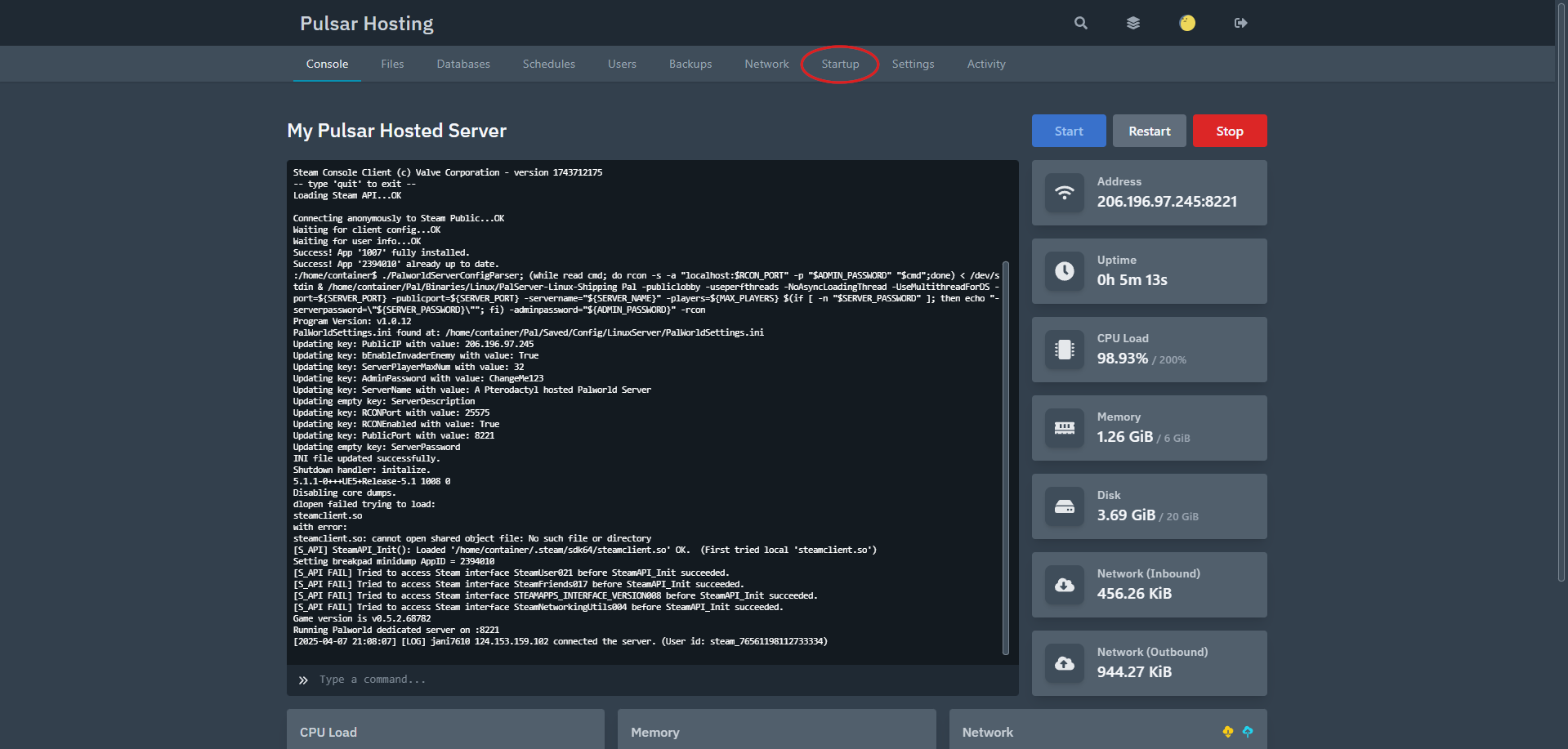
- Log in to the Pulsar Hosting Game Panel and you will see your home screen
- Locate the "Startup" Tab at the top.
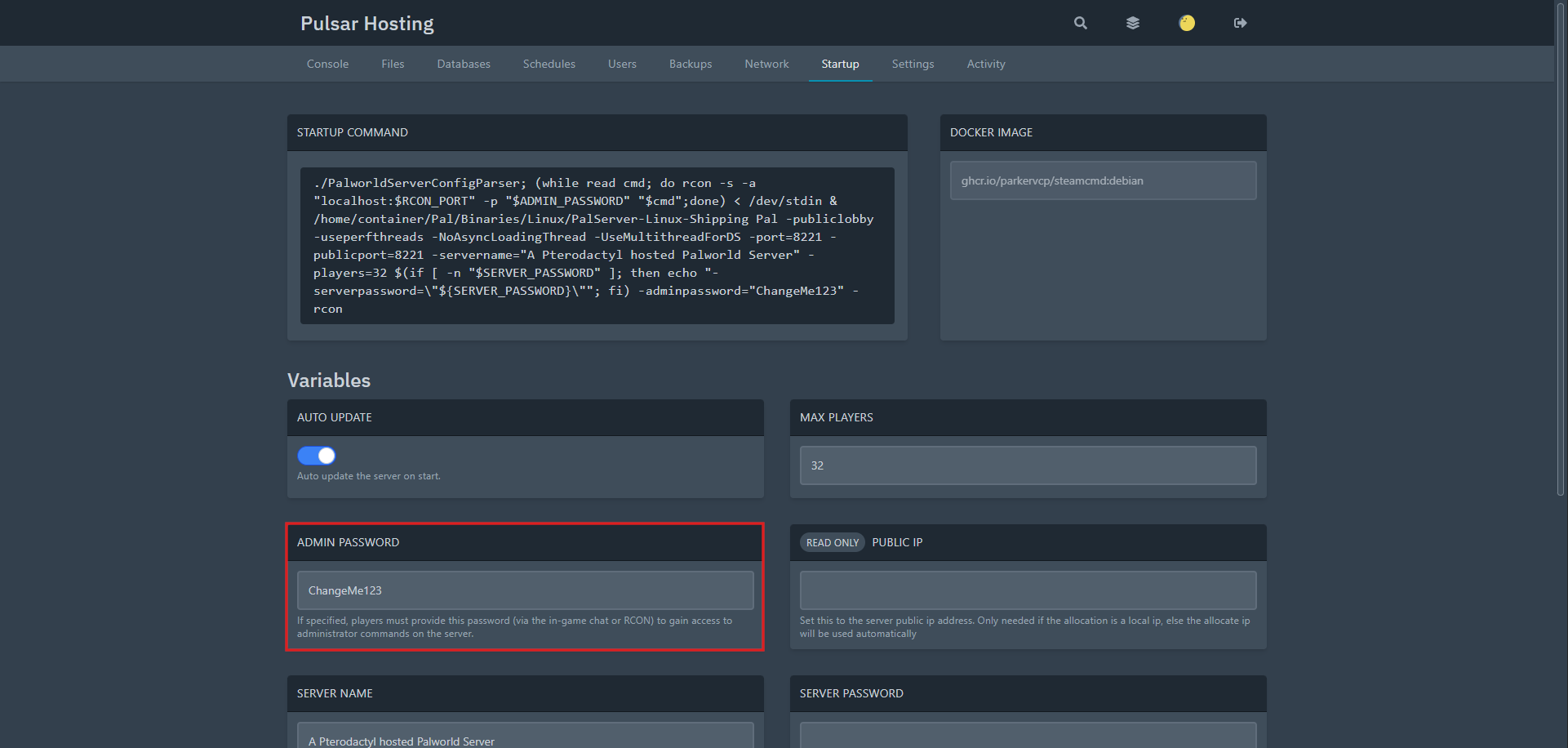
- Once in startup locate "Admin Password"
- Once that is changed you can click off the box and changes should be saved!

Powered by WHMCompleteSolution
